



Let me tell you something. Field data? It doesn’t come from nice desks. Nope. It comes from job sites. Farms. Big stores. Road checks. Home visits. Far-away spots where real work gets done.
For years, teams used paper. Clipboards. Messy notes. Then what? They’d type it all up later. Hope nothing got lost. Or hard to read. This took forever! Caused mistakes. Bad choices based on old info.
But now? Field data capture software (that’s apps for collecting info) changed everything. Workers use phones or tablets. They type stuff in right there. Where the work happens. The data is saved right away. Or later when they get the internet. No more chasing papers! Now you get real info. Fresh info. Info you can trust.
What Is Field Data Capture Software?
OK, so what is this thing? It’s software that helps you collect info. Store it. Manage it. All from the field. Using phones and tablets.
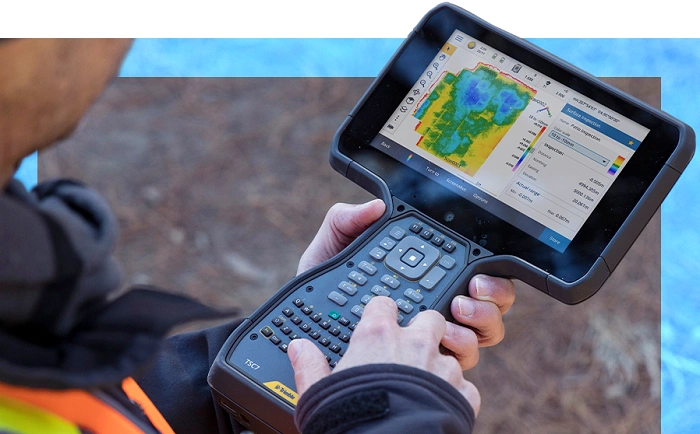
No more paper forms! Workers type info once. Right there on-site. They use phones, tablets, laptops. Even tough field devices. The data is saved right away. Or syncs later when the internet comes back.
This turns real work into digital data. Fast. Less delays. Fewer mistakes. The whole thing just works better.
Why Field Data Capture Software Exists
Paper causes problems. Big ones. Forms get wet. Lost. I can’t read the writing. People make typing mistakes. Reports come late. Bosses make choices with bad info.
This software fixes all that. Makes data collection smooth. Better accuracy. Faster reports. Less boring work. Creates records you can trust. For audits. Planning. Daily work.
Who Uses Field Data Capture Software?
Lots of people use this stuff.
Building teams use it. For checks. Progress tracking. Safety stuff. Material lists. Power companies need it. For meter reads. Checking equipment. Fix-it records. Farm teams track crops. Soil. Animals. Health workers use it for home visits. Check-ups. Case notes. Nature teams need it for surveys. Samples. Following rules. Delivery teams count stuff. Confirm drop-offs. Check conditions.
Anywhere work happens outside? This helps.
How Field Data Capture Software Works
Here’s how it goes. First, you make digital forms. Forms that match your work. Like check lists. Surveys. Whatever you need. Workers open the app. Fill in the form while working. They type text. Pick options. Take photos. Scan codes. Mark their spot with GPS. Add time stamps.
Done? The data saves. Got the internet? It syncs now. No internet? It syncs later. Bosses see the data fast. No waiting for papers!
Key Features of Field Data Capture Software
Good software keeps things simple. But reliable. You get custom forms. Works offline. Take photos and videos. Tracks location. Time stamps everything. Checks for mistakes. Stores stuff safely in the cloud. Make reports.
All this replaces many steps. One clean process. Better data for everyone.
Benefits of Using Field Data Capture Software
The good stuff shows up fast. Really fast. Data gets better. Rules catch mistakes. Reports come quicker. Info is ready now. Less paper. Maybe no paper! Workers spend less time on boring stuff. More time on real work. Bosses see what’s happening. Right now. Following rules gets easier. Digital records are simple to check.
For most teams? The time saved alone is worth it.
Field Data Capture Software vs Traditional Paper Methods
Paper is slow. Has mistakes. Hard to find stuff. Easy to lose. Can’t grow with you. Digital capture? Fast. Right. You can search for it. Safe. Grow as you grow. Once teams go digital? Almost nobody wants paper back.
Offline Capability and Why It Matters
Field work happens in weird places. Far-off spots. Country areas. Basements. Job sites. Underground. No internet! Good software works without the internet. Full power. Then syncs when you’re back online. Without this? Your tools fail when you need them most.
Data Quality and Validation in the Field
New tools make data better. How? They force you to fill required fields. Limit number ranges. Check formats. Stop half-done forms. This means clean data from the start. Less fixing later.
Security and Privacy Considerations
Field data can be private stuff. Important stuff. Strong software needs passwords. Different access for different people. Scrambles data (that’s encryption). Safe cloud storage. Protects devices. Security has to be built in. From day one.
Integration With Other Systems
Field data gets really useful when it talks to other systems. Like your main business software. Asset trackers. Customer systems. Number dashboards. Report makers. This turns raw data into smart insights.
Challenges in Implementing Field Data Capture Software
Sure, there are bumps. Getting people to use it. Training needs. Managing devices. Making good forms. People who hate change. But you can handle these! Plan well. Pick simple tools. Talk clearly.
Best Practices for Successful Field Data Capture
Start small. Simple forms first. Test with real workers. Build around actual tasks. Train people right. Get feedback. Make it better. Always plan for no internet. Use your data! Don’t just collect it.
Field Data Capture Software for Small vs Large Organizations
Small teams? They need simple stuff. Cheap. Quick setup. Big companies? They need to grow. Connect to other systems. Set permissions. Fancy reports. Pick what fits your size.
Costs and Return on Investment
Cost depends on users. Features. Storage. How complex. But you get money back from less manual work. Fewer mistakes. Faster choices. Better compliance. Lower costs. Most see returns in months!
Common Mistakes to Avoid
Don’t pick software without offline mode. Big mistake! Listen to field workers. Keep forms simple. Train people. Plan how you’ll use the data. These mistakes hurt.
The Future of Field Data Capture Software
What’s coming? AI that checks your work. Voice input. Smart photo analysis. Better device connections. Predictions from your data. Tech keeps pushing toward instant decisions.
Look, this isn’t just about ditching paper. It’s about speed. Getting things right. Trust in your work. When you capture data once. Right. Where work happens. You see better. Lower risk. Make smart choices. The best tools? Simple workflows. Strong offline mode. Easy for field teams. Pick well. Do it right. Field data capture turns daily work into insights. Real insights. That makes everything better.