


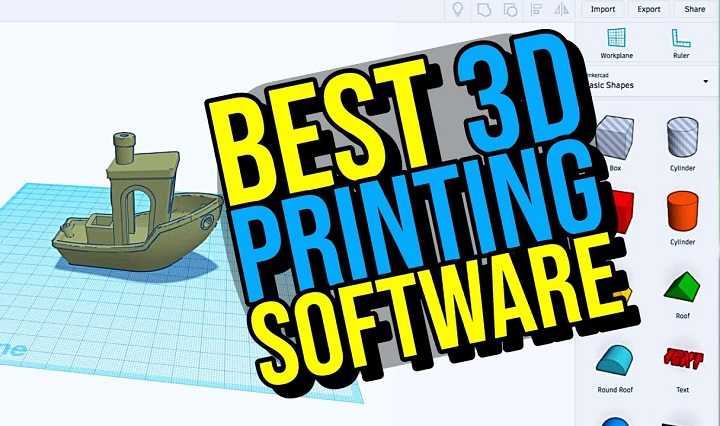
3D printing changed how we make stuff. Big deal, right? What used to need huge factories? Now it sits on your desk. Cool! Designers make things. So do artists. Students too. They all use 3D printers. These machines turn ideas into real objects. But wait – printers can’t work alone.
Here’s the thing. Your printer needs help. It needs software to tell it what to do. The printer can’t think. It just follows orders. Picking good 3D software matters. A lot. It affects how your prints turn out. Bad software? Bad prints. Good software? Good prints. Simple as that. Most people think the printer is the star. Nope! The software is. It shapes everything. This guide shows you which software to pick. And why.
What 3D Printing Software Does
- 3D software does two main jobs. First, it helps you design stuff. Second, it tells your printer what to do.
- You start with a design. That’s modeling. You might draw simple shapes. Or make complex parts. Both work.
- Next comes slicing. That’s fancy talk for cutting your model into layers. The slicer makes a recipe. Your printer follows it. Layer by layer.
- The slicer decides everything. How thick each layer is. How fast to print. Where to add support. All that stuff.
- Without good software? Even great printers fail. You need both parts working together.
3D Modeling Software for 3D Printing
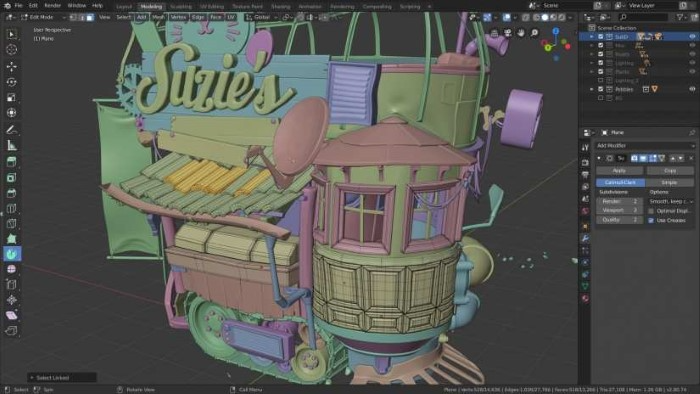
- First, you need to model. That means making your object on a computer. Easy stuff for beginners. Hard stuff for pros.
- New to this? Start simple. Use basic shapes. Like boxes and circles. Combine them. Take parts away. Build your design bit by bit.
- As you learn, you’ll want more control. You’ll need exact sizes. Precise angles. Professional tools give you that power.
- Some people make art. They need different tools. Sculpting software works like clay. You push and pull. Make organic shapes. Characters and figures. Fun stuff! But watch out. Art models often have problems. Holes and gaps. You’ll need to fix those before printing.
Beginner-Friendly 3D Modeling Tools
- Starting out? You need easy tools. Really easy.
- Good beginner software is simple. You drag shapes around. Drop them where you want. See what you’re doing. No confusion.
- These tools teach you fast. You learn 3D basics. Make simple objects. School projects. Fun prints. DIY parts.
- Most are free. Or cheap. Try them without spending much. They might not do everything. But they’re perfect for learning.
- Big communities help too. Lots of tutorials. People answer questions. You’re not alone.
Professional Modeling Software
- Pros need power. Exact measurements. Parts that fit together. No guessing allowed.
- Professional tools let you type in sizes. Set rules. Change one thing? Everything updates. Smart, right?
- Engineers use these. So do product designers. They make real parts. Parts that work. Parts that last.
- These tools are harder. Way harder. But worth it if you need precision. Practice helps. Studying helps more.
Sculpting and Artistic Tools
- Want to make art? Sculpting software is your friend.
- It works like clay. Digital clay. You push here. Pull there. Smooth this. Carve that. Make whatever you imagine.
- Artists love it. Great for characters. Figures. Cool decorations. Anything organic.
- One problem though. Art models often have issues. Holes. Weird surfaces. You’ll need to fix those. But it’s worth it for creative freedom.
Model Repair and Preparation Tools
- Downloaded a model? It might be broken. Seriously.
- Many free models have problems. Holes in surfaces. Flipped faces. Weird geometry. Your printer won’t understand.
- Repair tools fix this stuff. They scan your model. Find problems. Fix them. Make everything solid and printable.
- Beginners skip this step. Don’t! It’s super important. These tools also simplify models. Make files smaller. Help your printer work better.
Slicing Software for 3D Printing
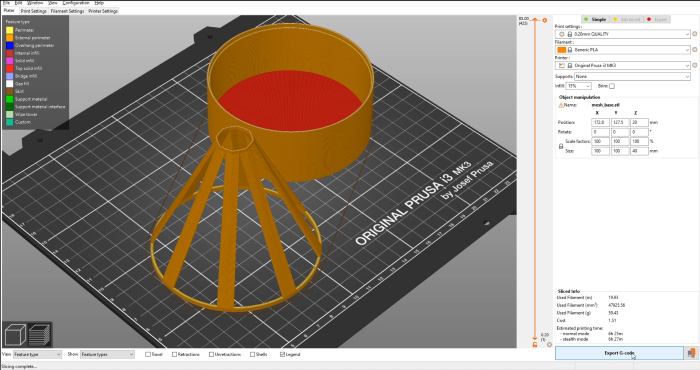
Model ready? Time to slice! Slicing cuts your model into layers. Thin layers. Then it plans the path. Where the nozzle goes. How it moves. You control everything. Layer height. Print speed. How solid to make it, where to add supports. Even temperatures. These choices matter. They affect strength. Surface quality. Print time. Everything! The slicer makes G-code. That’s the recipe your printer reads. Step by step instructions.
Beginner-Friendly Slicers
New to slicing? Use preset profiles. They’re lifesavers! These profiles match your printer. And your material. You don’t adjust anything. Just load, choose, and slice. Done! This helps beginners print right away. No deep knowledge needed. The software guides you. Shows recommended settings. Reduces mistakes. Great way to learn. See what works. Then try adjusting things later.
Advanced Slicing Tools
Want total control? Advanced slicers deliver. Adjust wall thickness. Pick infill patterns. Design custom supports. Control cooling. Change print order. So many options! Why bother? Complex models need it. Tricky materials too. You can make prints stronger. Or faster. Or use less material. It takes time to learn. But pros love the results. Perfect for challenging projects.
How Modeling and Slicing Work Together
Modeling and slicing are partners. They need each other. Good models help slicers work better. Bad models cause problems. Even great slicers can’t fix design flaws. Think about printing while modeling. Avoid overhangs. Make walls thick enough. Design strong structures. Good slicing brings models to life. But it needs good input. Work on both sides. Get better results.
Free vs Paid Software
Lots of great free tools exist. Really! Free software works for most people. Beginners love it. Hobbyists too. Open source means active communities. Updates happen often. Paid software offers more. Advanced features. Better automation. Faster performance. Professional support. For fun projects? Free is fine. For work? Maybe pay. Depends on your needs. And your budget.
Learning Curve and Growth
Learning takes time. Be patient. First, everything seems hard. Menus confuse you. Settings overwhelm you. Prints fail. Designs break. But you’ll improve. Everyone does. Practice helps. Small wins build confidence. Experienced users started where you are. Lost and curious. Keep trying. Ask questions. Learn from mistakes.
Choosing Software for Your Needs
Different people need different tools. Makes sense, right? Making toys at home? Use simple tools. Easy modeling. Basic slicing. Perfect! Engineering parts? Get professional software. You need precision. And advanced slicing. Making art? Try sculpting tools. Pair with a good slicer. One that handles details well. Match tools to projects. Start simple. Grow from there.
Computer Requirements and Performance
Some software runs on anything. Others need power. Lots of power. Check your computer first. Old computer? Use simple tools. New computer? Go wild! Slow software kills productivity. Crashes waste time. Long waits are boring. Performance matters. It affects your experience. Choose software your computer can handle.
Community and Support
Good communities make learning easier. Way easier. Popular software has forums. Videos everywhere. Tutorials galore. Shared models too. Problems happen. Communities help. Fast answers. Quick fixes. Tips and tricks. Strong support shortens learning time. Pick software with active users. You’ll thank yourself later.
There’s no single best software. Sorry! You need the right combo. Modeling plus repair plus slicing. Good software makes printing fun. Bad software causes headaches. Start simple. Learn basics first. Focus on your current needs. Not future ones. Gain experience. Then explore advanced options. When software and printer work together? Magic happens. 3D printing becomes creative. Practical. And super fun!