


Understanding CAD Software
Before we embark on our journey to discover the best free CAD software, let’s first understand what CAD software entails. CAD software empowers users to draft, model, and visualize designs with precision and efficiency. From architectural blueprints to intricate mechanical components, CAD software serves as a virtual canvas where ideas come to life. These tools provide a wide array of functionalities, including 2D drafting, 3D modeling, rendering, and simulation, catering to diverse design needs across various industries.
The Benefits of Free CAD Software
While premium CAD software packages offer advanced features and extensive support, free CAD software holds its own set of advantages, particularly for beginners and enthusiasts. Here are some key benefits of opting for free CAD software:
- Cost-Effective: As the name suggests, free CAD software eliminates the financial barrier to entry, allowing users to access powerful design tools without incurring hefty expenses.
- Accessibility: Free CAD software is readily available for download, enabling users to start designing without lengthy registration processes or subscription fees.
- Learning Opportunities: For newcomers to the world of CAD, free software provides an excellent platform for learning the fundamentals of design without committing to a significant investment.
- Community Support: Many free CAD software options boast active user communities and extensive online resources, including tutorials, forums, and user guides, facilitating knowledge sharing and troubleshooting.
Now that we’ve highlighted the advantages of free CAD software, let’s delve into our curated list of the best options available:
Tinkercad:
-
- Developed by Autodesk, Tinkercad is a user-friendly CAD software tailored for beginners and educators.
- Features intuitive drag-and-drop functionality, making it ideal for creating simple 3D models and prototypes.
- Offers a wide selection of geometric shapes and pre-designed elements, allowing users to explore their creativity without steep learning curves.
- Integrates seamlessly with 3D printing platforms, enabling users to bring their designs to life with ease.
Fusion 360:
-
- Another offering from Autodesk, Fusion 360 caters to both beginners and professionals, offering a comprehensive suite of design and engineering tools.
- Combines parametric modeling, direct modeling, and freeform sculpting capabilities, empowering users to create complex designs with precision.
- Features cloud-based collaboration, allowing multiple users to collaborate on projects in real-time, regardless of their geographical locations.
- Offers integrated simulation and analysis tools, enabling users to validate their designs and optimize performance before fabrication.
FreeCAD:
-
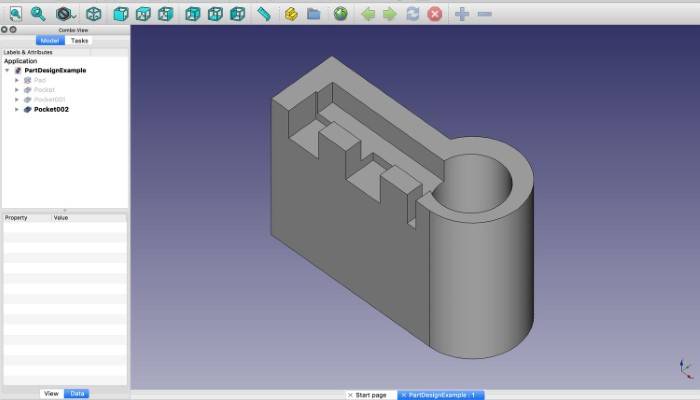
- FreeCAD is an open-source parametric 3D CAD modeler designed for advanced users and developers.
- Provides a modular architecture and Python scripting interface, allowing users to customize and extend the software to suit their specific requirements.
- Supports a wide range of file formats, including STEP, IGES, STL, and DXF, ensuring compatibility with other CAD software and manufacturing processes.
- Offers a robust community-driven development model, with regular updates and contributions from users worldwide.
Blender:
-
- While primarily known as a 3D modeling and animation software, Blender also features powerful CAD capabilities, making it a versatile tool for designers and artists.
- Boasts a comprehensive set of modeling tools, including mesh modeling, sculpting, and texturing, enabling users to create intricate designs with ease.
- Features a built-in game engine and physics simulation, allowing users to visualize and interact with their designs in real-time.
- Supports a wide range of import and export formats, making it compatible with industry-standard CAD software and workflows.
Onshape:
-
- Onshape is a cloud-based CAD platform designed for collaborative design and product development.
- Features parametric modeling and version control, ensuring design changes are tracked and synchronized across multiple users in real-time.
- Offers integrated data management and analytics tools, empowering teams to streamline their design processes and improve productivity.
- Compatible with web browsers and mobile devices, allowing users to access and edit their designs from anywhere with an internet connection.
The world of CAD software is vast and diverse, offering a myriad of options to suit every designer’s needs and preferences. Whether you’re a novice looking to dip your toes into the world of 3D modeling or a seasoned professional seeking a cost-effective solution for collaborative design, free CAD software has you covered. By harnessing the power of these tools, you can unleash your creativity, bring your ideas to life, and embark on a journey of endless innovation and exploration. So why wait? Download your preferred CAD software today and start designing your future masterpiece!