



Law firms used to run on paper. Files everywhere. Desks are full. Cabinets packed. Phones ringing all day. Clients waiting. But things changed. Now most lawyers want software that saves time. That keeps cases organized. That tracks hours. That manages clients. That handles billing without stress.
Clio became one of the most popular tools for this. It is built for law firms of all sizes. Solo lawyers. Small partners. Large teams. Anyone who wants a cleaner, smoother way to work.
This guide explains everything. What Clio is. Why law firms like it. What features it offers. How much it costs. How it helps daily work. And how to get started. Simple words. Clear steps. Full picture.
Why Lawyers Use Clio
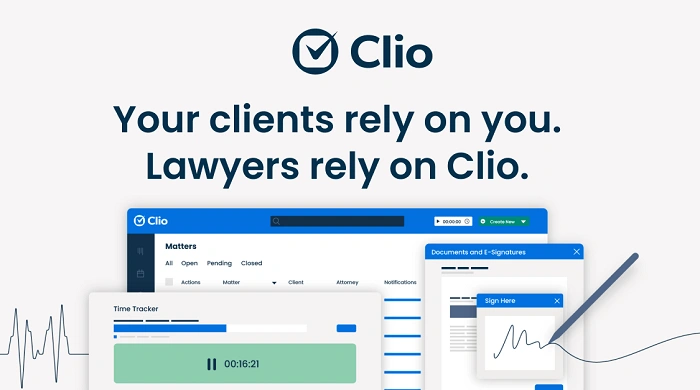
Clio makes legal work easier. Here are the main reasons:
• Everything in one place
• No lost papers
• Simple billing tools
• Cloud access anywhere
• Better client communication
• Works for solo and big teams
• Helps reduce mistakes
• Saves a lot of time
Lawyers are busy. They meet clients. Go to court. Prepare files. Review documents. Bill hours. Talk to staff. Talk to partners. Track deadlines. Clio helps manage all of this in one clean tool.
Clio is also cloud based. That means you can open it on your laptop, phone or tablet from anywhere. Home. Office. Courtroom. Travel. Work moves with you.
What Clio Actually Does
Clio has two main products:
- Clio Manage
• Clio Grow
Many law firms use both. But you can choose them separately.
Clio Manage is for running cases.
Clio Grow is for bringing in new clients.
Here is what each one does.
Clio Manage Features
Clio Manage focuses on case handling and daily legal tasks.
Case Management
Every case gets its own digital file. Inside it, you keep:
• Documents
• Notes
• Emails
• Tasks
• Deadlines
• Contacts
• Time entries
Nothing gets lost. Everything stays organized.
Document Storage
You upload documents. Create folders. Share files. Connect templates. You can also link it with Google Drive, OneDrive or Dropbox.
Billing and Invoicing
This is what lawyers love most. You can:
• Track billable hours
• Create invoices in seconds
• Add flat fees
• Add expenses
• Send bills online
• Accept payments by card
• Accept payments by bank transfer
Clients can pay through Clio Payments. It is simple and fast.
Time Tracking
No more guessing hours. Clio lets you:
• Start timers
• Track work by task
• Track work by case
• Add time from emails
• Add time from documents
Good billing means good tracking. Clio makes it easy.
Calendar and Deadlines
Connects with Google Calendar or Outlook. You see:
• Court dates
• Meetings
• Hearings
• Filing deadlines
• Reminders
You can share calendars with your team too.
Communication Tools
Clio gathers client messages in one place. You can:
• Save emails
• Send secure messages
• Share documents safely
• Keep a record of all communication
This helps avoid confusion later.
Trust Accounting
Law firms need strict trust accounting. Clio helps with:
• Trust ledgers
• IOLTA rules
• Reporting
• Easy tracking of client funds
Fewer mistakes. Less stress.
Clio Grow Features
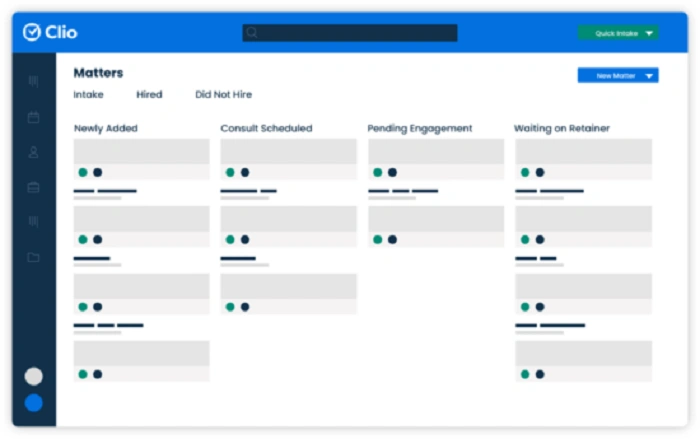
Clio Grow helps bring in new clients and handle intake.
Client Intake Forms
Create custom forms. Ask questions you need. Clients fill them online. No paper. No long calls.
Client Pipeline
Track every lead:
• New inquiry
• In progress
• Waiting
• Ready to sign
• Hired
You always know where each client stands.
Online Scheduling
Clients can book meetings online. You choose your available times. Clio handles the rest.
E Signature
Clients sign contracts online. No printing. No scanning. No travel.
Marketing Tools
Clio Grow keeps track of:
• How clients found you
• Which ads work
• Which referrals work
Helps you grow smarter.
Who Uses Clio
Clio works for almost every type of lawyer.
Common users:
• Criminal lawyers
• Family lawyers
• Immigration lawyers
• Personal injury
• Real estate
• Corporate
• Estate planning
• Litigation
• Small law offices
• Solo lawyers
Clio’s flexibility makes it easy to adjust for different practice areas.
How Much Clio Costs
Clio offers monthly and yearly plans. Prices depend on features. The usual structure:
- Starter
• Essentials
• Advanced
• Complete
The starter is simple. Good for solo lawyers.
Essentials and Advanced add more tools.
Complete gives you Manage plus Grow.
The price is higher than simple office apps, but you pay for a full legal system. Most firms say the time saved is worth the cost.
A Day Using Clio
Here is what daily work might look like.
You open Clio in the morning. You check your dashboard. It shows:
• Today’s tasks
• Upcoming deadlines
• New messages
• New leads
• Unpaid invoices
• Time tracked yesterday
You send a document link to a client. You update notes from yesterday’s meeting. You start a timer while writing a motion. You upload new evidence. You add a deadline. A client signs a contract online. You send an invoice with one click.
Later you check your intake list. Two new leads filled the form. You schedule a call with one. You assign the other to a partner. You prepare an engagement letter. You add notes to the pipeline.
By the end of the day your tasks are updated. Your time is tracked. Your files are organized. And your bills are ready.
Clio turns chaos into order.
Benefits of Using Clio
Lawyers who use Clio say it improves their work life in many ways.
More Time Saved
Less paperwork. Less searching. Less repeating tasks.
Better Work Quality
Nothing slips through. Deadlines stay clear. Files stay clean.
Better Client Experience
Clients get fast replies. Clear bills. Easy payments. Simple forms.
Better Team Coordination
Everyone sees the same information. No confusion.
Better Billing
Tracking hours becomes natural. No lost billable time. Payments come faster.
Better Mobility
Work from home. From court. From travel. From anywhere.
Challenges With Clio
Clio is great, but not perfect.
Challenges include:
• Learning curve for new users
• Setup takes time
• Cost can be high for very small firms
• Needs good internet
• Customizing some fields takes practice
But once set up, it becomes smooth.
Tips to Get the Most From Clio
These tips help law firms use Clio well.
- Train your team
• Set clear workflows
• Use templates for documents
• Use tags to organize cases
• Track time every day
• Automate intake forms
• Connect Clio with Google or Outlook
• Keep client notes updated
• Run reports each month
• Review billing weekly
Small habits make Clio even more useful.
What Makes Clio Different From Other Legal Tools
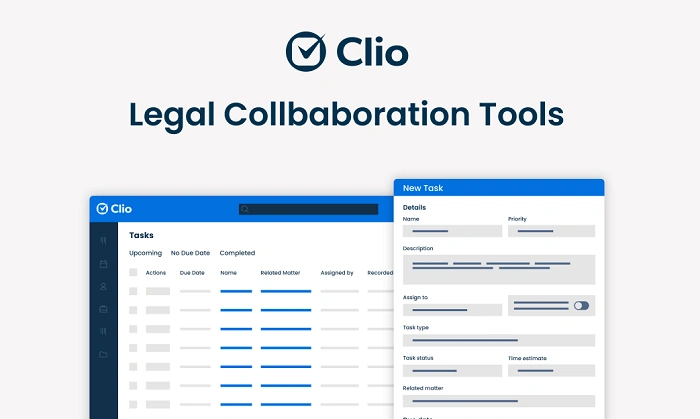
There are many law firm apps. But Clio stands out because:
- More integrations
• Easier time tracking
• Better billing tools
• Strong intake features
• Works for any practice area
• Simple mobile app
• Very reliable
• Strong support team
Clio is built for lawyers first. Not for general office use. That is why it fits the legal workflow so well.
The Future of Clio
Clio keeps improving every year. Future trends include:
• More automation
• Better AI tools
• Faster billing
• Smarter intake
• More analytics
• More integrations
• Stronger cloud security
Law firms will become more digital. Clio will likely stay a major player.
Clio law firm software is one of the best tools for modern legal work. It helps you manage cases. Track time. Invoice clients. Communicate better. Stay organized. And run your firm smoothly.
If you want less paper. Less stress. Less confusion. And more clarity. More time. More order. Clio is a strong choice.
Learn the tools. Set your system. Bring your team on board. Start small. Grow step by step.
Your law practice can run smoother than ever. And Clio can help you get there.