


You don’t start with plastic. You start with an idea. Maybe a phone stand that fits your desk. Or that broken clip you hate buying again. Could be a custom tool. A toy. Something new. Then the big question hits. How do you design it? That’s where 3D design software comes in. It takes your idea and makes it real. Pick the right one? Fun times ahead. Pick the wrong one? Everything feels slow and hard. Why do people search for the best software? They don’t want to waste time. Some just got their first printer. Some want to level up. Students need help. Some want useful parts. Others want to make art. This guide breaks it down nice and easy. What the software really does. The main types you’ll find. Which tools work for who. How to pick one that fits your goals.
What 3D Printing Design Software Actually Does
This software is where your object starts. Before printing. Before anything else. You make a digital model first. The software lets you build it in 3D with real sizes.
Good software lets you control everything. Size, shape, thickness, holes, curves. It makes sure your model can actually print. Not just look good on screen. Some tools focus on exact measurements. Others let you create freely. Some do both. No single tool wins for everyone. The best one depends on what you want to make. And how your brain likes to work.
The Three Main Types of 3D Design Software
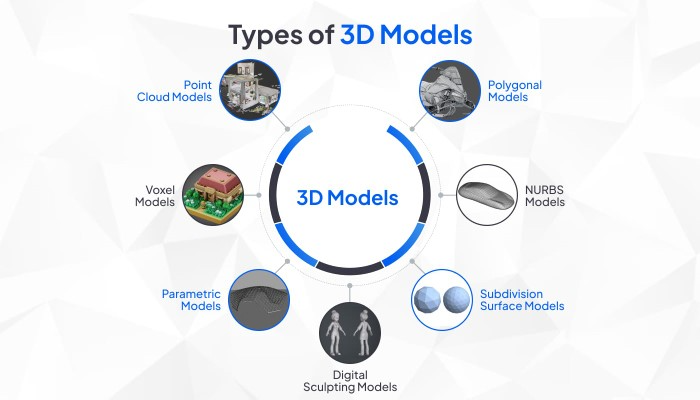
Almost all software fits in three boxes. Knowing this and choosing gets way easier. First type? CAD software. This is logic-based design. You set sizes and rules. Change one number? The whole model updates. Perfect for parts that must fit just right. Like brackets or cases.
Second type? Mesh modeling. This is a shape-based design. You push and pull forms freely. Great for characters, art, and natural shapes. No strict rules here. Third type? Beginner tools. These make things simple. They remove the hard stuff. Good for learning and quick projects.
Best Beginner-Friendly 3D Printing Design Software
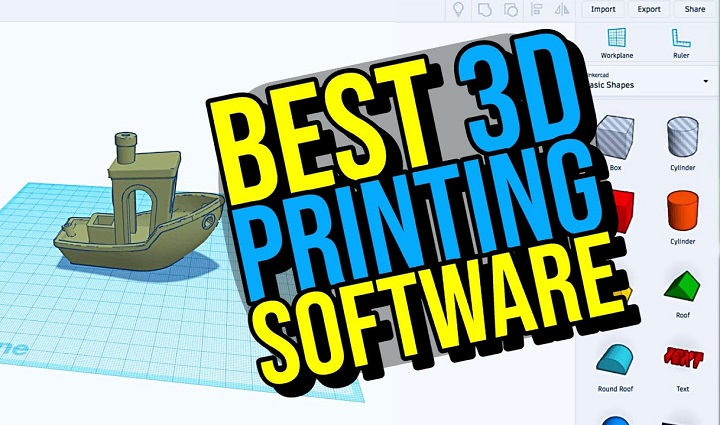
New to this? Your biggest enemy is getting stuck. Easy tools focus on keeping you moving. Tinkercad is where most people start. It runs in your browser. No download needed. You use simple shapes. Combine them. Cut them. Resize them. The interface is clean. You can make your first model today.
Tinkercad rocks for basic parts and learning. But it has limits. Complex designs? You’ll hit the ceiling fast. SketchUp Free is another easy option. Not made just for 3D printing. But it helps you understand space quickly. With the right add-ons, it works. Better for concepts than exact parts. These tools shine when you want to learn fast. No stress.
Best CAD Software for Functional and Mechanical Parts
Need parts that fit? That move? Does that hold weight? CAD is your friend. Fusion 360 is huge in 3D printing. It does everything. Design, test, simulate. Pro-level power but still learnable. It’s great for cases, brackets, tools, and prototypes. Yes, there’s a learning curve. But the payoff? Huge. Plus there’s a free version for personal use. That’s why makers love it.
FreeCAD is another solid pick. Totally free and open. It’s powerful but less polished. It takes patience. But you get full control. CAD wins when accuracy beats art.
Best Sculpting Software for Artistic and Organic Models
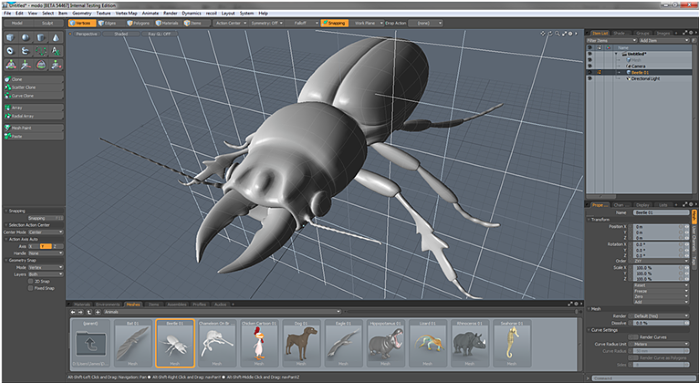
Want to make figures? Characters? Art? CAD feels too stiff. You need sculpting tools. Blender is the big name. Free, open, and super powerful. You sculpt like digital clay. Smooth surfaces. Add details. Make shapes that feel alive.
People use Blender for miniatures, cosplay parts, and art prints. Set it up right? Great results. The learning curve is real. But the community is massive. Tons of help out there. ZBrush is pro-level but costs money. Most hobbyists pick Blender. Same power. No cost. Sculpting tools win when art beats measurements.
Software That Sits in the Middle
Some tools mix both worlds. Onshape runs in your browser. It’s CAD but smooth. Great for teams and students. The free version makes your projects public. Some people are okay with that. There are also niche tools. Like for jewelry or buildings. Great if that’s your thing.
What Makes Software “Best” for 3D Printing
The best software isn’t the one with the most features. It’s the one that fits how you think. Good 3D printing software should let you control wall thickness. Avoid broken geometry. Export clean files. Show real sizes. And please, don’t crash and lose work.
Easy learning matters too. Fighting menus kills the fun. Good community helps. Tutorials and forums speed things up big time.
Matching Software to Your Use Case
Making practical stuff? Tools and parts? Go CAD. Fusion 360 or FreeCAD work great. Making art? Figures? Toys? Go sculpting. Blender is your best bet. Total beginner? Student? Teacher? Start with Tinkercad. Fastest path to success.
Like visual exploring? SketchUp helps before you go deeper. Many pros use multiple tools. Sketch in one. Refine in another. Whatever works.
Common Mistakes Beginners Make
Big mistake? Jumping into hard software too fast. People get overwhelmed. Then quit. Another mistake? Ignoring if it can actually print. Looks good on screen? Might still fail. Watch those wall thicknesses. Also check your scale. Wrong size wastes time and plastic. Good software helps. But you still need to check.
Free vs Paid Software
Free tools today? Amazing. Many match or beat paid ones. Paid software might flow better. Has support. Special features. But you don’t need it to succeed. Most hobbyists do fine with free tools. Even small businesses. Time matters more than money here.
How to Choose Without Regret
Start simple. Grow from there. Use easy tools first. Learn the basics. Move up when you need to. Don’t jump around too much. Deep knowledge beats shallow. Think about your computer too. Some software needs power. Browser tools are lighter but limited. Desktop tools give control but need good hardware.
The best software helps you keep creating. It should help, not block you. A small practical object? Detailed art piece? The right software turns ideas into reality. Start with your goal. Pick a matching tool. Accept the learning time. Remember, every great print started as just an idea.