


Remember clipboards? Lists everywhere. Messy shelves. Lost boxes in corners. Trucks waiting. Workers hunting for stuff. Customers were mad about late orders. Total mess, right?
But things got better. Way better. Now we have software. It saves time. Keeps stuff organized. Tracks every box. No mistakes on labels.
This new software? It’s the best tool now. Works for everyone. Small shops. Big warehouses. Anyone who ships stuff.
I’ll explain everything. What this software is. Why you’ll like it. What it does. How much it costs. How to start. Simple words. Easy steps.
Why Use This Software?
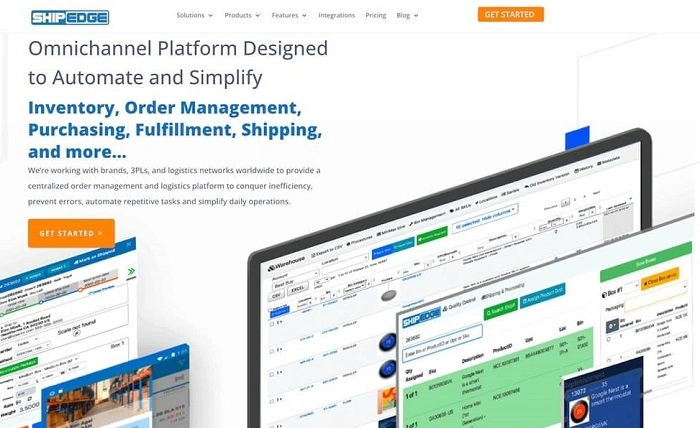
This software makes work easier. Here’s why people switch:
- Everything on one screen
- No more typing stuff twice
- Know exactly what you have
- Save money on shipping
- Pack orders faster
- Works for any size place
- Less mistakes
- Save money on workers
You’re busy. I get it. Trucks come in. You check stuff. Put things on shelves. Pick orders. Print labels. Deal with carriers. Track returns. This software does it all. One simple system.
Most tools are cloud based (which means online). Open it anywhere. Your phone. A tablet. The dock. The office. Your van. The info follows you.
What It Actually Does
This software does two main things:
- Getting Stuff In (Receiving)
- Sending Stuff Out (Shipping)
Most places use one tool for both. Some call it a WMS. That’s just short for warehouse system.
Here’s what each part does.
Getting Stuff In
This part makes sure you get the right stuff.
Checking Orders
A truck shows up. You don’t guess what’s inside. The software shows your order. Scan boxes as they come off. Missing something? It tells you right away.
Scanning Barcodes
Every item gets scanned. The computer knows what it is. No more wrong numbers written down.
Where to Put Things
Software says exactly where stuff goes. “Aisle 4, Shelf B, Spot 12.” No more wandering. Keeps things neat.
Checking Quality
Something broken? Take a photo. Mark it damaged. The office knows to get money back.
Sending Stuff Out
This part makes shipping fast and cheap.
Picking Orders
The customer buys something. Software makes a list. Shows the shortest path. No wasted steps.
Finding Best Prices
This is the best part! Software checks all carriers. FedEx. UPS. Local post. Find the cheapest option. It takes one second.
Making Labels
No typing addresses. Software pulls customer info. Prints the label. Also prints what’s inside for the customer.
Tracking Packages
The label gets scanned. The customer gets an email. “Your stuff is coming!” Less phone calls asking where orders are.
Handling Returns
Does the customer send something back? Software tracks it. Easy to put back in stock.
Who Uses This?
Almost anyone who ships things:
- Online stores
- Factories
- Big sellers
- Retail shops
- Car parts places
- Food companies
- Tech brands
- Shipping companies
Ship five boxes a day? Or five thousand? Doesn’t matter. The right system helps.
How Much Does It Cost?

Most companies charge monthly. Or yearly. Price depends on how much you ship.
Usually goes like this:
- Starter: Good for home businesses
- Pro: More features and tools
- Big Business: Many locations and fancy stuff
Yeah, it costs more than Excel. But think about it. One wrong shipment? That costs more than the software.
A Normal Day With Software
Here’s what work looks like now.
- Morning: Open the software. Dashboard shows: 5 trucks coming today, 150 orders to ship, 3 items out of stock, Yesterday’s costs, New returns.
- Receiving: Truck arrives. Worker scans pallets. Software checks the order. Says “put in cold storage.”
- Picking: In the warehouse, a picker follows their phone. Grabs three items. Scan each one. The app says “Correct.”
- Packing: At packing, software weighs the box. Picks cheapest shipping. Prints label. Box gets taped. Done.
- End of day? Perfect counts. Every order is tracked. Clean floor. You know the exact costs.
Why It’s Great
People who use this say it helps lots:
- No Mistakes: No more wrong items shipped. Scanner does the thinking.
- Save Money: Finding cheap shipping saves dollars. Adds up fast!
- Ship Faster: Organized system? Orders out in hours. Not days. Customers love it.
- Know Your Stock: Always know what you have. Software warns when stuff runs low.
- Safer Work: Workers don’t rush. Don’t hunt for items. Less accidents.
Some Hard Parts
Software is great. But not magic.
Watch out for:
- Takes time to label shelves
- Staff needs training
- Need good Wi-Fi everywhere
- Cheap scanners break
But once it works? You’ll never go back to paper.
Tips to Win
Do these things:
- Label everything. Every shelf. Every bin. Every item.
- Use phones. Don’t make workers walk to desks.
- Set alerts. Let software tell you when to buy more.
- Check reports. See what sells fast. What doesn’t.
- Keep it clean. Messy warehouse? Even good software fails.
- Connect your store. Link to your website. Orders flow in easily.
Small habits. Big results.
What Makes This Special?
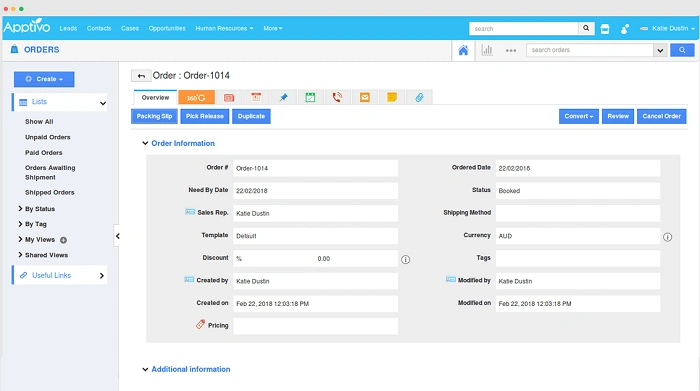
Not just any inventory app. Real shipping software:
- Connects to UPS and FedEx
- Handles weights and sizes
- Makes truck documents
- Works with label printers
- Built for speed
What’s Coming Next?
Cool stuff coming:
- Robots that pick items
- AI that guesses what sells
- Drones for delivery
- Sensors for food temps
- Machines that make perfect boxes
Warehouses get more digital. This software? Your first step.
Want less mess? Less waste? Less stress?
Want more speed? More profit? More growth?
This software helps. Big time.
Learn the tools. Map your warehouse. Train your team. Start small. Grow step by step.
Your business can move faster. Way faster. And the right software? That’s how you get there.